Set up a tenancy without missing a legal step.
Most tenancy problems are baked in on day one. The wizard walks the whole setup in one sitting — Right to Rent, referencing, a post-Renters’ Rights Act agreement, the document pack and deposit protection — ending with your tenant getting everything they’re legally owed, previewed before it goes out.
Setup checklist
Tracked for every new tenancy
- Written Statement servedDone ✓
- Right to Rent recordedDone ✓
- Agreement e-signedDone ✓
- EPC / Gas / EICR providedDone ✓
- Deposit protectedDone ✓
- Prescribed Information servedDone ✓
Skipped something? It stays tracked as outstanding, not silently dropped.
Why day one matters
None of these can be fixed retroactively — so the wizard makes each one an explicit, tracked step.
Up to £40,000
Council penalty for not giving the tenant the Electrical Safety Report (EICR) before they occupy — Electrical Safety Standards Regulations 2020.
30 days, up to 3x
Protect the deposit and serve the Prescribed Information within 30 days of receiving it, or the tenant can claim up to three times the deposit.
Before signing
The Renters' Rights Act 2025 requires the tenant to receive a Written Statement of Terms before the agreement is signed.
Try it yourself
Click through a sample tenancy setup: generate the tenancy agreement, edit it, send it for signing and choose what goes in the pack. Sample data only — nothing is saved or sent.
Step 1 of 9
Tenancy Basics
Property
Flat 2, 14 Sample Road, Anytown
Tenant
Sam Carter · sam@example.com
Start date
1 October 2026
Rent
£1,150 per month
Deposit
£1,326 (5 weeks' rent)
Within capDeposit checked against the 5-week limit
Saved as a draft — the tenancy only goes live when setup is sent.
Nine steps, nothing missed
Start from Tenancies → Tenancy Setup Wizard. Leave halfway? A progress strip on the Tenancies page continues exactly where you left off.
Tenancy Basics
Property, tenants, dates, rent and deposit — created as a draft that only activates when setup is sent.
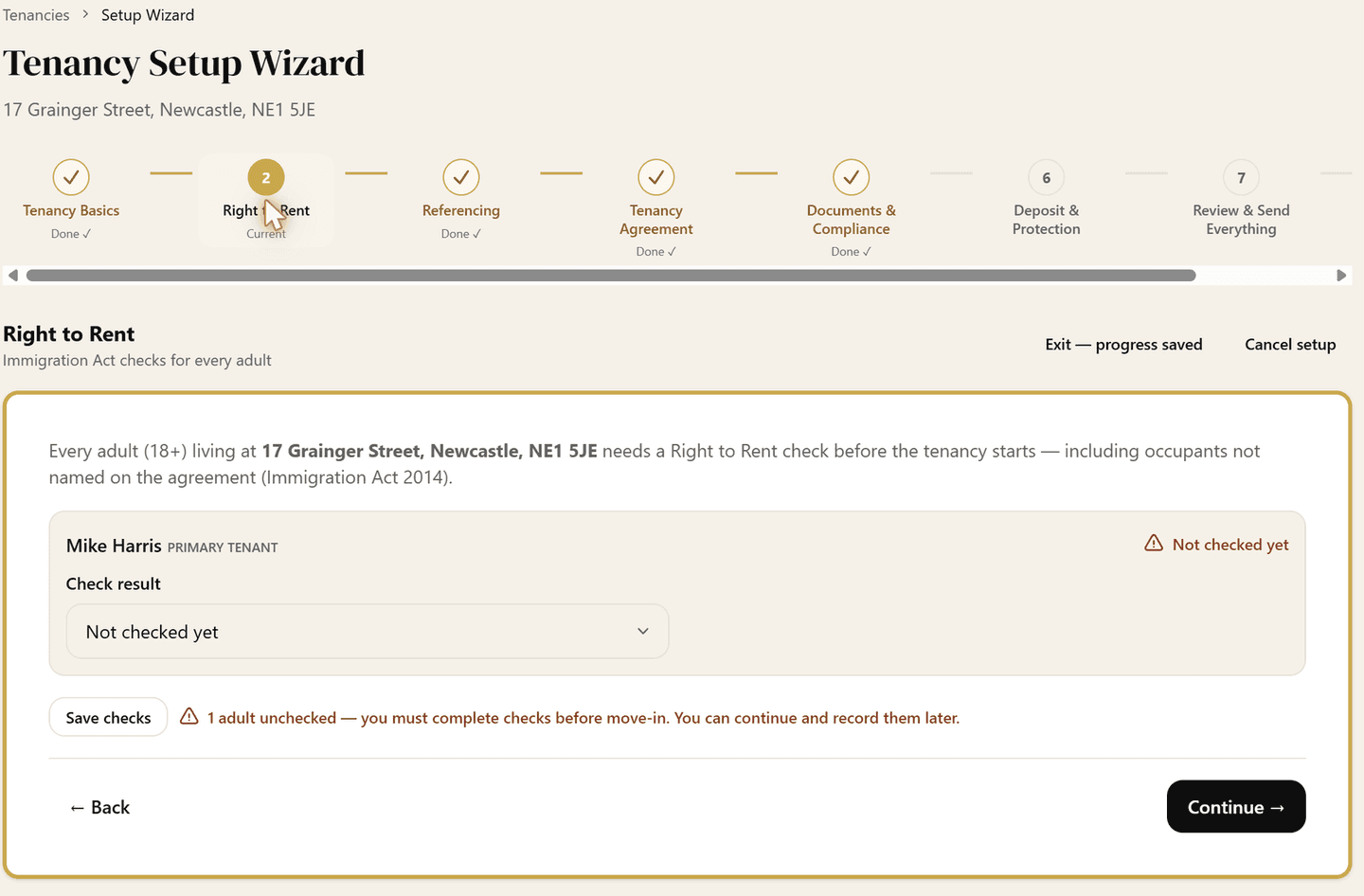
Right to Rent
A recorded check for every adult living at the property, with follow-up dates scheduled for time-limited permissions.
Referencing
Built-in credit and reference checks on each tenant — no separate portal, no re-keying.
Guarantor (optional)
Add up to four guarantors, set what each one is liable for, and execute a Deed of Guarantee — e-signed with a witness, or upload one already signed.
Tenancy Agreement
Post-Renters' Rights Act periodic templates (whole property, joint sharers, HMO room), filled in from the tenancy and editable in the preview, then sent for e-signing. A RentFig agreement doubles as your RRA 2025 Written Statement of Terms.
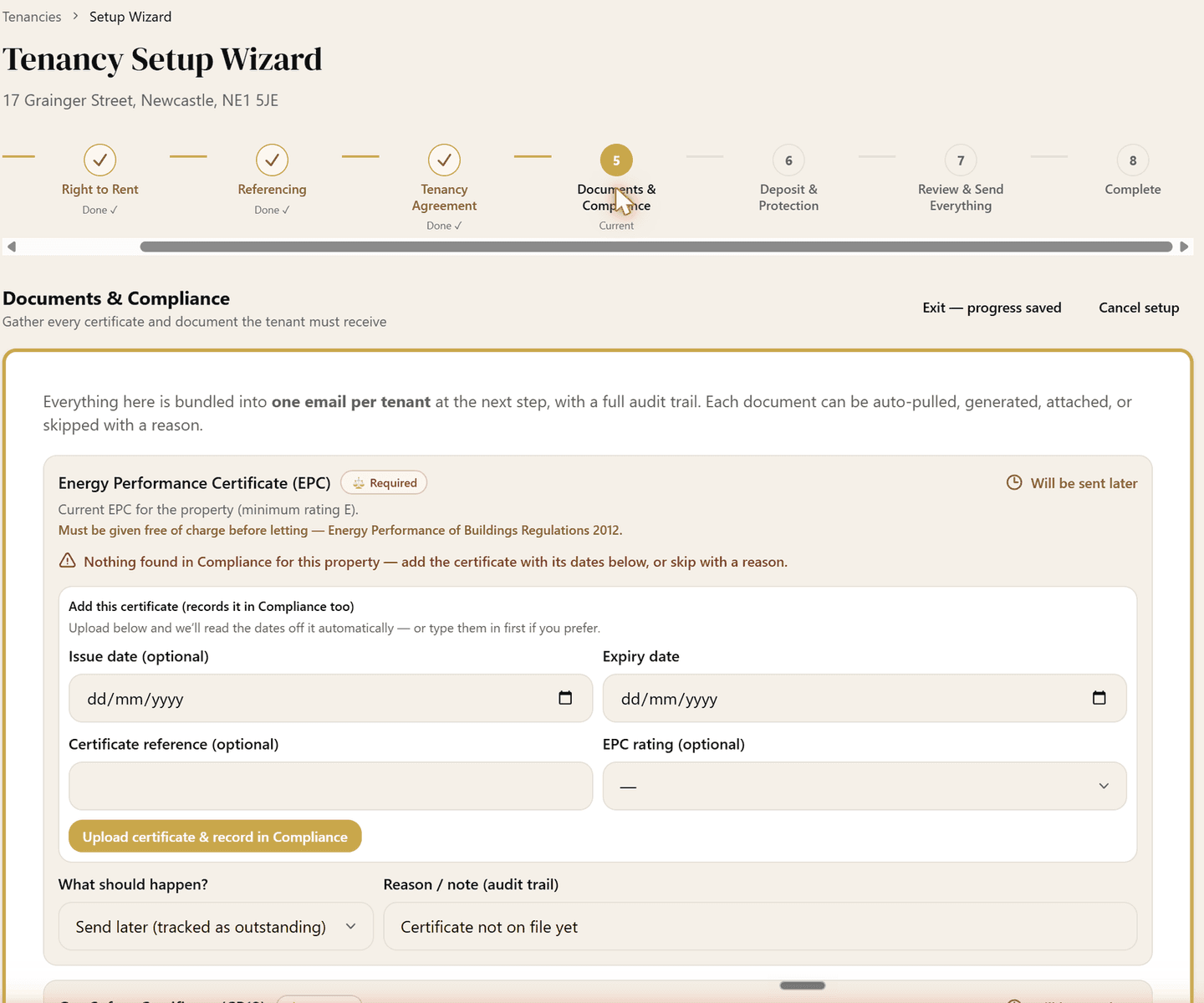
Documents & Compliance
EPC, gas safety and EICR gathered with a per-item decision — include in pack, already provided, or send later — plus any extra documents you want to attach, like the inventory. Anything postponed is tracked as outstanding.
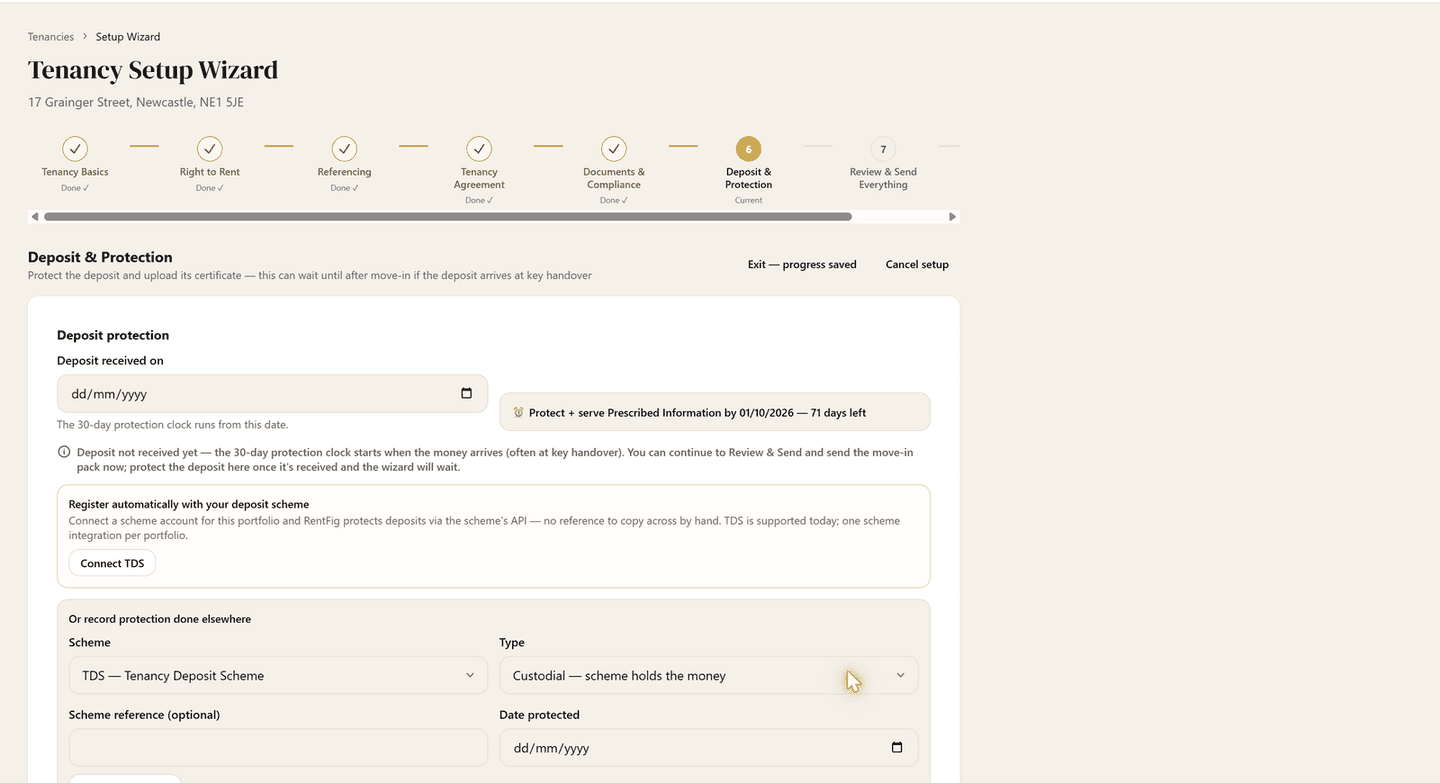
Deposit & Protection
DPS, TDS or mydeposits, custodial or insured, with the certificate, scheme leaflet and the 30-day Prescribed Information clock tracked.
Review & Send Everything
Preview the email to your tenant, then send the agreement (the signed copy, if you used e-signing) and every document. Deposit paid at key handover? Send the move-in pack now and the deposit paperwork once it's protected.
Complete — day-one tasks
Move-in checklist seeded automatically: alarms tested, inventory, keys, meter readings, council tax and utilities notified.
See it in action
Real screens from the wizard — each statutory rule shown where you act on it.
FAQ
- What documents must I give a tenant at the start of a tenancy?
- In England: the Energy Performance Certificate (free of charge, before letting), the current Gas Safety Certificate (before occupation, where there's a gas supply), the Electrical Safety Report (EICR — before occupation), and — under the Renters' Rights Act 2025 — a Written Statement of Terms before signing. If you take a deposit, the tenant must also receive the Prescribed Information and scheme leaflet. The wizard gathers all of these into one tracked pack.
- What is Prescribed Information and when is the deadline?
- The statutory details of how the tenant's deposit is protected. You must protect the deposit and serve the Prescribed Information within 30 days of receiving the deposit — the wizard tracks both against that clock.
- Do I have to use a RentFig tenancy agreement?
- No. Upload your own and the wizard still handles e-signing, the document pack, deposit protection and the compliance checklist — and serves a standalone Written Statement of Terms before signature. RentFig's own templates are post-Renters' Rights Act periodic agreements in three variants.
- What if the deposit arrives at key handover?
- Send the move-in pack first. It carries the signed agreement and the certificates the tenant must have before they move in, and it activates the tenancy so rent invoices start. Once the deposit is protected, send the deposit paperwork (certificate, Prescribed Information, scheme leaflet) to finish. The 30-day clock runs from the day you receive the money and is tracked either way.
- Can I add a guarantor?
- Yes, on an optional step. Add up to four guarantors, choose whether each is liable for their named tenant, the whole rent, or a capped sum, and execute a Deed of Guarantee. RentFig generates the deed for e-signing with a witness, or you can upload one already signed. The guarantor gets their own copy by email.
- What happens to items I skip?
- Nothing is silently forgotten. Every skipped or postponed statutory item stays on the tenancy's setup checklist as outstanding, and the Tenancies page shows a progress strip for every in-flight setup.
Full step-by-step guide: How to set up a tenancy
Disclaimer: This page is general information, not legal, financial or tax advice. UK landlord rules are technical and changing quickly — always check current gov.uk and your local authority guidance, and consult specialists for decisions about your own portfolio.
Your next tenancy, set up right.
Free to start. The wizard itself costs nothing extra — e-signing is on paid plans and uses credits, and referencing is charged per check.